How to Photograph Thrift Store Items So They Sell Faster
Let me tell you something that changed my reselling game overnight: better photos. That's it. Same items, same prices, same platforms. Just better photos. And my sales nearly doubled.
You don't need a fancy camera or a professional studio. You just need to know a few simple tricks. Let's go through everything you need to take scroll-stopping photos with just your phone.
Natural Lighting Is Everything
This is the single most important thing. Natural light makes colors look accurate, shows details clearly, and gives your photos a clean, professional feel.
Related: The 10 Biggest Mistakes New Resellers Make
How to get great natural light:
- Shoot near a large window during the day
- Overcast days actually give the best, most even lighting (no harsh shadows)
- Avoid direct sunlight — it creates strong shadows and washes out colors
- Face your item toward the window, not away from it
- Never use your phone's flash. Just don't. It makes everything look yellow and flat.
Best time to shoot: Mid-morning to early afternoon, near a north-facing or east-facing window. If your light is too harsh, hang a sheer white curtain to diffuse it.
Related: 7 Clothing Brands That Always Sell Well on eBay and Poshmark
Your Background Matters More Than You Think
A cluttered background screams "amateur." A clean background says "this seller knows what they're doing." Buyers notice this, even if they don't realize it.
Easy background options:
- White sheet or fabric: Tape or clip a white sheet to your wall for a hanging backdrop. Lay another on the floor for flat lays. Cheap and effective.
- White poster board: Great for smaller items like jewelry, shoes, or accessories.
- A blank wall: If you have a plain white or light-colored wall, that works perfectly for hanging items.
- Wooden floors or tables: For flat lays, a clean wood surface can look beautiful and warm.
Keep it consistent across your listings. When your closet or shop has a uniform look, it builds trust with buyers.
Flat Lay vs. Hanger vs. Mannequin
Different display methods work better for different items. Here's when to use each:
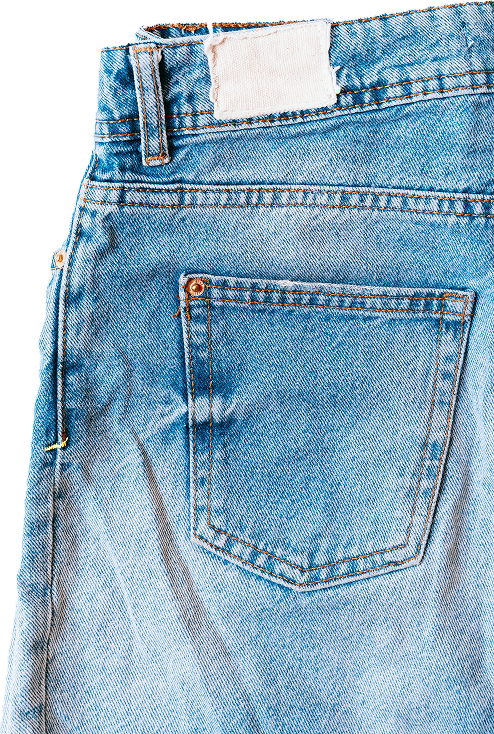
Flat lay:
- Best for: t-shirts, jeans, sweaters, casual items
- Lay the item flat on a clean surface and shoot from directly above
- Style it a little — fold a sleeve, cuff the jeans, add a simple prop if it makes sense
- Great for showing the full item in one shot
Hanger shots:
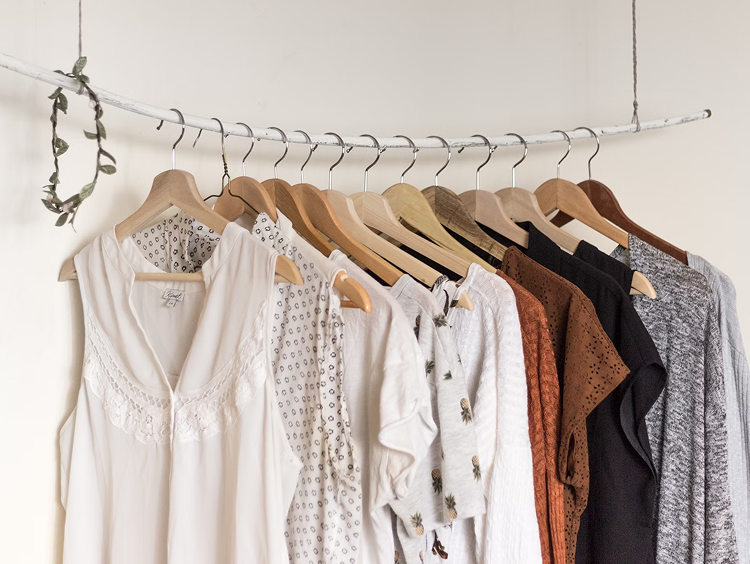
- Best for: blouses, dresses, jackets, anything that looks better with some shape
- Use matching hangers (slim velvet or wooden ones look best)
- Hang items on a hook against your clean background
- Avoid wire hangers — they distort the shoulders and look cheap
Mannequin or dress form:
- Best for: showing how an item fits and drapes on a body
- You can find affordable dress forms online for $30-60
- Particularly great for dresses, structured tops, and vintage pieces
- Helps buyers visualize themselves wearing the item
Detail Shots Are Non-Negotiable
Your cover photo gets people to click. Your detail shots close the sale. Always include photos of:
- The brand/size tag: Buyers want to verify the brand and size. Always photograph this.
- The fabric content tag: Materials matter. A lot. Especially for buyers looking for specific fabrics like silk, wool, or cashmere.
- Any flaws: Stains, pilling, small holes, missing buttons — photograph them and mention them in your description. This builds trust and prevents returns.
- Unique details: Embroidery, hardware, zippers, interesting buttons, prints. These are selling points.
- Fabric texture: Get a close-up that shows the weave or texture of the material.
Most platforms let you upload 8-16 photos. Use them all. More photos = more buyer confidence = more sales.
Phone Photography Tips
You don't need a DSLR camera. Your smartphone is perfectly capable of taking great listing photos. Here's how to get the most out of it:
- Clean your lens. Seriously. Wipe it with your shirt before every photo session. A smudgy lens makes everything look hazy.
- Tap to focus. Tap on the item in your screen so the camera focuses on it, not the background.
- Lock your exposure. On most phones, press and hold on the screen to lock the focus and exposure. This keeps your lighting consistent across all your shots.
- Don't zoom in. Digital zoom reduces quality. Move closer to the item instead.
- Use the grid lines. Turn on the grid in your camera settings. It helps you center items and keep shots straight.
- Shoot a few extras. Take more photos than you need. It's easier to choose the best ones later than to re-shoot.
Editing Apps to Polish Your Photos
A quick edit can take a good photo and make it great. You're not trying to make items look different from reality — just clean and bright.
Best free editing apps:
- Snapseed (free): My favorite. Great for brightness, contrast, and white balance adjustments. The "selective" tool lets you brighten specific areas.
- Lightroom Mobile (free version): Amazing presets and fine-tuned controls. You can create a custom preset and apply it to all your photos for a consistent look.
- The built-in iPhone/Android editor: Honestly, the default photo editor on your phone is pretty solid for basic brightness and contrast tweaks.
Quick edit checklist:
- Brighten the photo slightly
- Increase contrast just a touch
- Adjust white balance so whites look white (not yellow or blue)
- Crop and straighten if needed
- Don't over-filter. Buyers want to see what the item actually looks like.
Your Cover Photo Is Your First Impression
Your cover photo (the first image in your listing) determines whether someone clicks or scrolls past. It needs to be your absolute best shot.
Cover photo tips:
- Show the full item clearly
- Make it the brightest and cleanest of all your photos
- Center the item in the frame
- On platforms like Poshmark, your photo gets cropped to a square — keep important details away from the edges
- If the item has an amazing detail (like a great print or logo), consider making that your cover shot
Speed Up the Process
Once you've taken great photos, you want to get those listings live on as many platforms as possible. Uploading photos and writing descriptions separately for Poshmark, eBay, Mercari, and Depop is exhausting.
List Perfectly makes this so much easier. Upload your photos once, write your description once, and crosspost to all your selling platforms. Your beautiful photos deserve to be seen by the widest audience possible.
You Might Also Like
- The 10 Biggest Mistakes New Resellers Make
- 7 Clothing Brands That Always Sell Well on eBay and Poshmark
- 5 Best Sites to Sell Clothes Online and How to Do It
- How to Price Thrifted Items for Maximum Profit
Use code THRIFT30 to get started and let those amazing listing photos work harder for you across every platform.